

Laura Rainbow Dragon
Bard
Moderator
Canada
4,838 posts
Nous sommes maîtres chez nous. Et nous le serons toujours. Elbows up, Canada!
2026 Secret Santa Workout Gift Exchange
The Secret Santa Workout Gift Exchange is back for 2026! Here's how it works:- You must have an active Check-In Thread here in the Hive to participate. This is so your Santa can read up on the types of workouts you like to do, so they can design a suitable "gift" for you. If you're new here: Welcome! You can still join in if you set up a new check-in thread now and post at least three updates prior to the Secret Santa assignments going out. (More is better.)
- If you'd like to join in, sign up here: My Secret Santa. The deadline to join is Thursday, November 19, 2026.
- NEW THIS YEAR: The sign up form includes a questionnaire for you to fill out with details of your workout loves and limitations, as well as a box for you to write an optional "Letter to Santa". Please fill in any sections that are relevant to you and submit. Then click on "COPY FOR YOUR CHECK-IN THREAD". This will copy all of your notes to Santa into a ready-made post you can then paste into your own check-in thread.
- If you decide to join in, you will be assigned your giftee, either by the Dragon Elf (Laura) or by the Beaver Elf (Saffity). Santa assignments will be delivered by the end of day Sunday, November 22 and will show up right on your My Secret Santa page.
- Once you receive your assignment, go and read your giftee's check-in thread. (If it's really long, just reading the most recent couple of pages is fine.) Then design a 15-30 minute workout that you think will be fun and challenging for your giftee to complete. The theme of the workout is: Migration Madness. (More on this below.)
- NEW THIS YEAR: The DAREBEE Elves have built us our very own Santa's Workshop! You will be creating the workout poster for your gift yourself, right in the workshop! Once you receive your assignment you will be able to open the Workshop directly from your My Secret Santa page. This will take you to a gift builder which is pre-populated with the correct information for your gift recipient. (Until then, feel free to use the generic link above to experiment with the Workshop.) Once you have completed your workout poster, click on "Send to my Secret Santa page".
- NEW THIS YEAR: Now go back to your My Secret Santa page and refresh it. You will now see your workout poster on the page. Directly below the poster is the text area where you will input the story part of your gift. Please keep the story PG! (Imagine your whole clan is sitting around an open fire, roasting chestnuts, and this is a story you are telling to everyone, young and old alike.) Once you have finished the story, click on "SEND TO THE ELVES". The deadline for sending your gift--both the poster and the story--to the elves is Sunday, December 6. DO NOT BE LATE!
- Now sit back and wait for the elves to review your gift. You may receive a message from either the Dragon Elf or the Beaver Elf at this time if any adjustments need to be made. If everything is fine, your gift will be wrapped and placed under the tree for delivery on Monday, December 21.
- You must complete your workout gift and post in your check-in thread that you did it, no later than Tuesday, January 5, 2027.
- Is it better to give, or to receive? To investigate this question, you must also complete the gift you gave and post about doing so in your check-in thread. To make it harder for your giftee to identify you, you may break up this workout across multiple days and/or be vague in describing the exercises you did. The deadline for completing this is also Tuesday, January 5.
- Read up on your fellow Bees' holiday adventures in their check-in threads and try to guess who was your Santa! The guessing game happens right here in the Secret Santa event thread.
The Rules:
- Wrap your gift in a story that explains why your giftee must complete the exercises you have assigned to them. (For some inspiration, check out the awesome gifts that were created for last year's workout gift exchange.) The theme for this year's stories is: Migration Madness: It's holiday time in the DAREBEE Hive once again, and everyone is eagerly anticipating the Hive's great annual holiday party. But the dust has not yet settled from the Hive's recent migration. It's hard to plan a giant party in a new place, and when your giftee Bee arrives at the Hive for the festivities, they find a scene of utter chaos! The holiday lights are in a tangled mess, the sound system is glitching, half the Bees are missing, and the kitchen... Has anyone even located the kitchen in this new place? Your giftee Bee must figure out what is going on and, through completing the exercises in their workout gift, set everything to rights so the party can begin.
- Don't be gruesome! We're here to challenge one another. But also to have fun. The workout you design is meant to be a gift. Do not assign anyone 100 burpees! (Unless they've written recently in their check-in thread about how much they LOVE burpees and really hope that Santa will gift them with a high volume of them.)
- All exercises assigned should be no-equipment exercises--unless your giftee has indicated in their letter to Santa that they have current access to the equipment you're asking them to use.
- Modifications are fine! If you are gifted with push-ups, but can only do kneeling push-ups at this point in your fitness journey, for example, it's fine to do the kneeling variety. Conversely: if you assign your giftee step-jacks as part of their workout, because you've read in their letter to Santa that they're not doing high impact activities at the moment, but you want to do jumping jacks as part of your "gift you gave" workout, this is fine too. Try to complete both the gift you receive, and the gift you gave to the best of your ability, using exercise variations that are right for you. In the Hive, we honour where each individual bee is at in their own fitness journey at this moment in time.
- You are welcome to include fun activities in the gift you design (e.g.: singing, dancing, etc.) if they are appropriate for your giftee Bee. The gift builder draws exercises from DAREBEE's Video Exercise Library, but it includes some flexibility for including things which are not yet in the library. Laura will post some ideas for how to do this in a separate post below.
- If you have any questions, either about designing your gift, or about how to complete your gift once you've received it, please post them here. (Or you can DM your Santa Team Leader--Laura or Saffity--if posting your question publicly would give away too much about the gift you're designing.) The elves will try to answer all gift questions (so your Secret Santa does not need to out themself by answering themself). Santas: one of the elves may contact you via DM if a question is asked about your gift which we don't know how to answer.
- The December 6 deadline is a HARD DEADLINE. Please don't miss it! If you sign up to participate in this gift exchange, you are committing to designing a workout gift for one of your fellow Bees, and submitting it through the My Secret Santa portal no later than December 6, 2026.
- Have fun!



Laura Rainbow Dragon
Bard
Moderator
Canada
4,838 posts
Nous sommes maîtres chez nous. Et nous le serons toujours. Elbows up, Canada!
This year's theme:
Migration Madness
It's holiday time in the DAREBEE Hive once again, and everyone is eagerly anticipating the Hive's great annual holiday party. But the dust has not yet settled from the Hive's recent migration. It's hard to plan a giant party in a new place, and when your giftee Bee arrives at the Hive for the festivities, they find a scene of utter chaos! The holiday lights are in a tangled mess, the sound system is glitching, half the Bees are missing, and the kitchen... has anyone even located the kitchen in this new place? Your giftee Bee must figure out what is going on and, through completing the exercises in their workout gift, set everything to rights so the party can begin.
Migration Madness
It's holiday time in the DAREBEE Hive once again, and everyone is eagerly anticipating the Hive's great annual holiday party. But the dust has not yet settled from the Hive's recent migration. It's hard to plan a giant party in a new place, and when your giftee Bee arrives at the Hive for the festivities, they find a scene of utter chaos! The holiday lights are in a tangled mess, the sound system is glitching, half the Bees are missing, and the kitchen... has anyone even located the kitchen in this new place? Your giftee Bee must figure out what is going on and, through completing the exercises in their workout gift, set everything to rights so the party can begin.
Laura Rainbow Dragon
Bard
Moderator
Canada
4,838 posts
Nous sommes maîtres chez nous. Et nous le serons toujours. Elbows up, Canada!
TIPS FOR USING SANTA'S WORKSHOP (A.K.A. THE SECRET SANTA GIFT BUILDER)
Once you have received your Secret Santa assignment, always open the Gift Builder from your My Secret Santa page. This will populate the Gift Builder with all the information you need to create a great gift for your giftee.
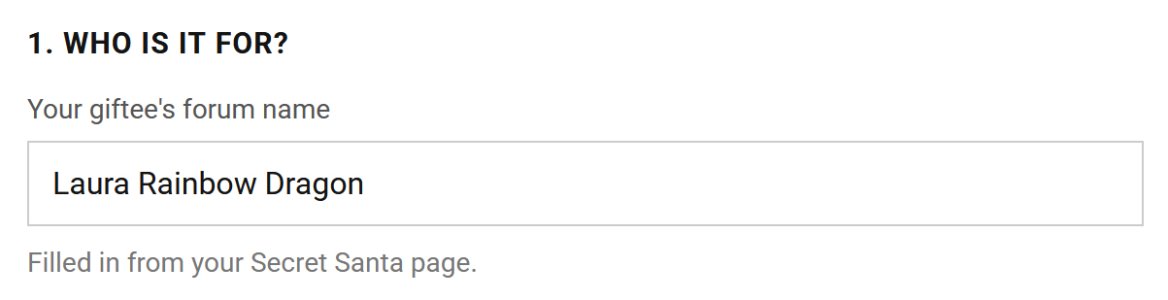
The first piece of information the Gift Builder needs is the name of the person for whom you're making the gift. When you open the Gift Builder from your My Secret Santa page this information is already filled in for you.
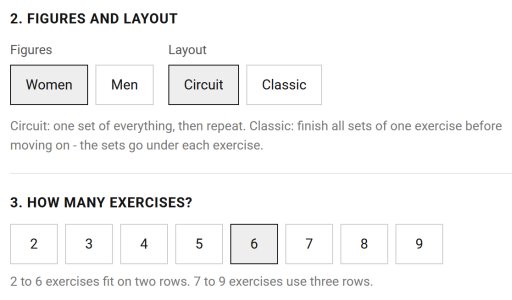
Next, choose your layout options: female or male figures, circuit or classic workout style, and the number of exercises you intend to include. (You can come back and change these things later if you change your mind. But make a guess to start off with so you have something to work with.)
Now we get to the fun part: choosing the exercises.
The Gift Builder draws exercises from the DAREBEE Exercise Library. There are currently 200 different exercises in the library. So you have lots to choose from!
Start typing the name of the exercise you want in the "Search exercises..." field, and you'll get a drop down list of matching items from the library. (If you don't know the name of the exercise you want, open the Exercise Library in a different tab and search for it there. Then come back to the Gift Builder and input the name you found.)
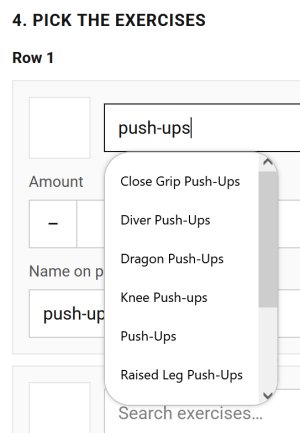
Choose the exercise you want from the drop down list, and you're off to the races!
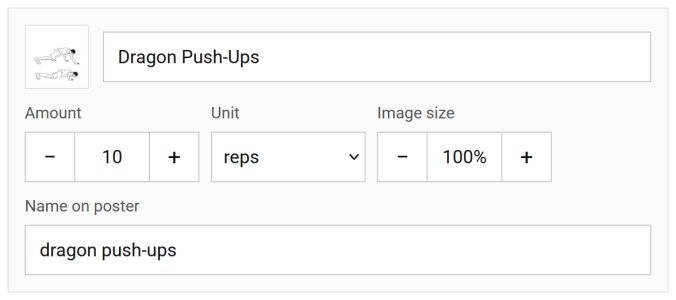
For each exercise you choose you can adjust the amount, the unit of measure, the image size, and the text that will appear beneath the image on the poster. If you chose the "Classic" workout style, you'll also specify the number of sets for this exercise in this section.
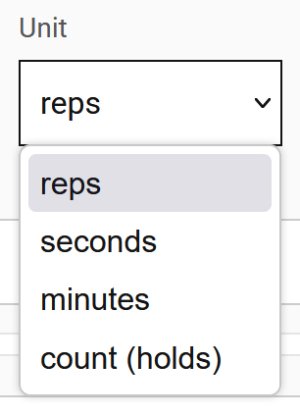
The choices for units are: reps, seconds, minutes, or count (hold). If every exercise will use a time-based unit, you can use seconds (or minutes, if that's more appropriate). If the workout you're creating contains a mix of rep counts and timed holds it's best to use the hold option for the held exercises, so the person doing the workout doesn't need to keep interrupting their workout to start and stop timers.
Leave the image size at 100% for now. You can adjust it later if, after you've finalized the layout of your poster, you find that some of the image sizes look off.
In most cases you'll leave the "Name on poster" field unchanged as well. But there are exceptions to this, which I'll discuss below.
"But, but, but, Laura," you say, "the Exercise Library only includes bodyweight exercises. But my giftee likes to workout with weights. And you said we could include fun activities in our gifts. But dancing isn't in the Exercise Library either!"
These things are true. But not to worry! With a little creativity, we can get the Gift Builder to do what we want.
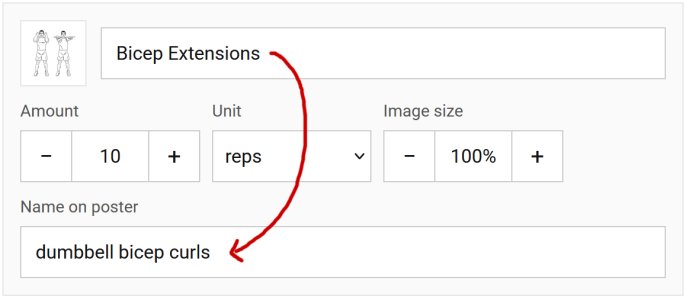
Say you want to include exercises in the gift which utilize equipment. (Which you would only do if your giftee has stated they have access to that equipment and want to use it.) Choose the most similar bodyweight exercise from the Library, then change the "Name on poster" text to reflect the equipment use. So "squats" becomes "weighted squats", "bicep extensions" becomes "dumbbell bicep curls", "side leg raises" becomes "banded side leg lifts" etc. You cannot write an epic in this field. But in most cases, the exercise name you need will fit.
The same trick works for other specialized/fun activities we often like to include in Secret Santa gifts. Here are some more suggested swaps:
- march steps >> hiking
- butt kicks >> running (only if your giftee likes to run, please!)
- hops: side-to-side >> dancing
- deep squat hold >> meditation
- downward upward dog >> yoga
- knee rolls >> restorative yoga
Once you've selected all the exercises, we get to the Sets and Rest section. If you chose the Classic workout style, the only thing you need to input here is the amount of rest between sets and exercises. If you chose a Circuit style workout, you have a couple more choices to make.
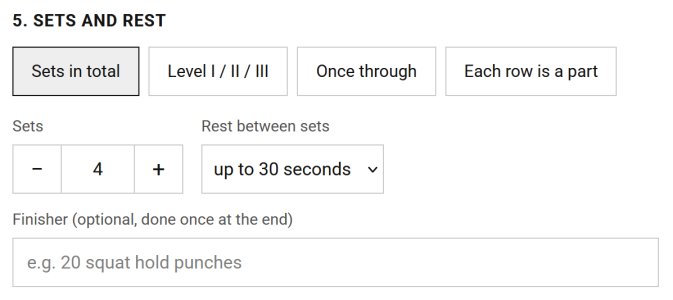
- "Sets in total" allows you to choose both the number of sets and the rest period between sets
- "Level I / II / III" allows your giftee to choose to do either 3, 5, or 7 sets. You still specify the rest period.
- "Once through" has no sets and no rest. The gift recipient does each exercise once for the specified number of reps/period of time, then is done.
- "Each row is a part" allows you to set a different number of sets and rest times for each row in the workout.
Finally, choose your wrapping options: the placement of the bow and ribbon on the exercise poster.
And you're done! Click "Send to my Secret Santa page" and your beautiful workout poster will wing its way over there, ready for submission to the elves.
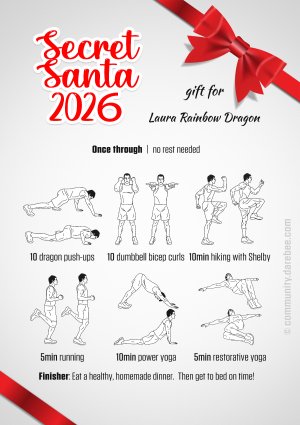
Now head on back to your My Secret Santa page, refresh the page to see the poster, and get to work on your story!

Saffity
Mother of Dragons
Getting strong enough to keep two tiny humans from unaliving themselves.

Beaver elf, checking in and ready for duty!


Syrius
Valkyrie
Just moving forward with steel in my spine and glitter in the air!
Detective Syrius is reporting for duty!


Princess Fancy
Heroine
That sounds like so much fun  . This year wrapping a gift would be to much for me with all the other stuff in life going on, but I hope that I can participate next year.