Training Plans Rebuilt - all 50 of them, top to bottom.
It started as "let's add one button to the plan pages." It ended with every training plan on the site rebuilt from scratch. We know. We have no self-control.
Here is what is new at darebee.com/plan.html:
Every plan page got a full write-up. Not a table and three sentences anymore. Each plan now has Overview, Who This Plan Is For, What You Need, How The Week Works, Day By Day (what to do, how long, how hard and why for every single day), Week By Week, Missed Days And Swaps, What To Expect, What Comes Next and a Questions section. It all sits folded under the table so the page stays clean and you open only what you want to read.
Tools under the table. All of them are off until you tap them so your plan page looks the same as before unless you want it to:
Walk and run days have an at-home alternative right there in the table. No outside, no problem.
My Plans. You now have three custom plan slots. Build your own week from workout filters, any DAREBEE page or plain text, name it, add notes per day and it shows up in the plans filter next to ours. Yours stays on your device and goes into your dashboard backup like everything else.
The plans filter has new cards: a week strip (dark bars are workouts, light bars are walks and easy days), the facts on one line, and new Length and Where filters so you can ask for "ongoing, at home, 3 days a week" and get exactly that.
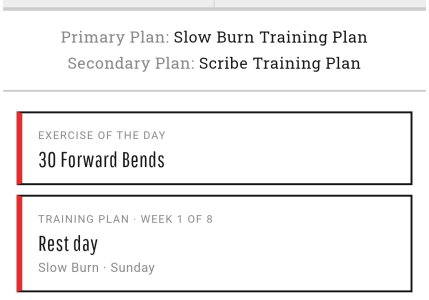
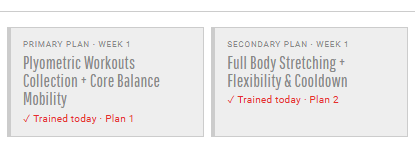
Dashboard. If you track a plan, there is a new Training plan daily card. It is off by default - Settings, Daily cards, switch it on.
If a page looks odd on your phone, tell us which plan and which phone.
Here is what is new at darebee.com/plan.html:
Every plan page got a full write-up. Not a table and three sentences anymore. Each plan now has Overview, Who This Plan Is For, What You Need, How The Week Works, Day By Day (what to do, how long, how hard and why for every single day), Week By Week, Missed Days And Swaps, What To Expect, What Comes Next and a Questions section. It all sits folded under the table so the page stays clean and you open only what you want to read.
Tools under the table. All of them are off until you tap them so your plan page looks the same as before unless you want it to:
- Today's workout shows what is on for today and can pick a workout for you.
- Change the day my week starts if your Monday is a Thursday.
- Workouts at your level tunes every workout link on the page to your fitness test level (or a level you pick). Only on plans written for a range of levels. Tuned links get a red level tag so you can see it worked.
- Copy to a custom plan puts the week into one of your own slots so you can rearrange it.
- Add to my calendar downloads the week as repeating calendar events.
- Alternate weeks on the plans that run A and B weeks.
Walk and run days have an at-home alternative right there in the table. No outside, no problem.
My Plans. You now have three custom plan slots. Build your own week from workout filters, any DAREBEE page or plain text, name it, add notes per day and it shows up in the plans filter next to ours. Yours stays on your device and goes into your dashboard backup like everything else.
The plans filter has new cards: a week strip (dark bars are workouts, light bars are walks and easy days), the facts on one line, and new Length and Where filters so you can ask for "ongoing, at home, 3 days a week" and get exactly that.
Dashboard. If you track a plan, there is a new Training plan daily card. It is off by default - Settings, Daily cards, switch it on.
If a page looks odd on your phone, tell us which plan and which phone.



 No? Just me??? Ok...