Custom Workout Builder Test Round
We have been quietly building something big and it has reached the dangerous stage where it works perfectly for us. That usually means it is about to meet a real phone and fall over.
So before we announce it properly we would love your help testing it.
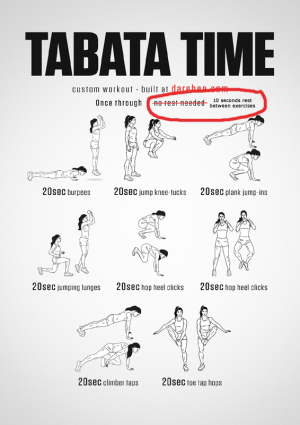
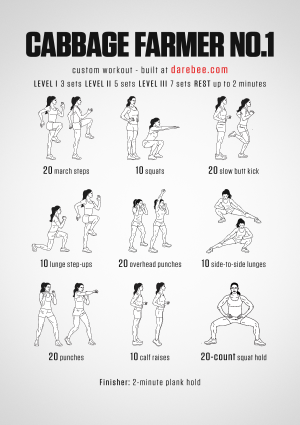
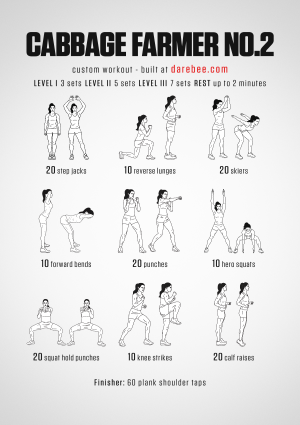
You pick 2 to 9 exercises from our exercise library, set the reps or the time for each one, choose your sets and rest and give the workout a name. It becomes a DAREBEE poster with its own TIMER, SETS and DONE. It logs to your Dashboard like any other workout and you can download it as a JPG.
Everything you build stays on your device. Nothing is public and nothing is stored on our side. The one exception is Sync across devices: with that switched on your workouts go into your private sync copy so they can reach your other devices.
Two things are on purpose and not bugs: a custom workout cannot take the name of an existing DAREBEE workout and links are not allowed anywhere in the text.
If something breaks it helps us enormously to know which device and browser you were on. A screenshot is even better.
Tell us everything: the good, the broken and the "why does it do that". Thank you!
So before we announce it properly we would love your help testing it.
What it is
A workout builder. Three workout pages on darebee.com are now empty on purpose and they are yours to fill:You pick 2 to 9 exercises from our exercise library, set the reps or the time for each one, choose your sets and rest and give the workout a name. It becomes a DAREBEE poster with its own TIMER, SETS and DONE. It logs to your Dashboard like any other workout and you can download it as a JPG.
Everything you build stays on your device. Nothing is public and nothing is stored on our side. The one exception is Sync across devices: with that switched on your workouts go into your private sync copy so they can reach your other devices.
Where your workouts show up
- In the workout filter: your three slots are the last cards and the "custom workouts" option shows just them
- On the bookmarks page: there is a new Custom Workouts tile
- In custom training plans: a built workout can be picked as a day's link
- On the Dashboard: every custom workout you log shows up by name
What we would love to know
- Phones. Is the builder comfortable to use on yours? Do the TIMER and SETS rows, the filter cards, the bookmarks cards and the Dashboard cards look right?
- iPhones and Safari. This is our blind spot. Does Download JPG give you an actual picture in your photos or files?
- Two devices. If you use Sync across devices: does a workout built on one device turn up on the other? Does a custom plan?
- No connection. If you have "Keep bookmarks offline" switched on and you bookmark a custom workout: does it open with your connection switched off and does the timer still beep?
- The timer. A workout where every exercise is set in seconds or minutes gets a timer that runs the whole thing from start to finish. Does it behave the way you expected? Would you like it to remember the level you picked last time?
- Notes. Notes currently stay on the page when you clear a workout and build a new one in the same slot. Should they leave with the workout instead?
- Anything that made you stop and think. If you had to work out what a button does then the button is wrong and we want to hear about it.
Two things are on purpose and not bugs: a custom workout cannot take the name of an existing DAREBEE workout and links are not allowed anywhere in the text.
If something breaks it helps us enormously to know which device and browser you were on. A screenshot is even better.
Tell us everything: the good, the broken and the "why does it do that". Thank you!